If you're driving a 30,000-pound RV that stands 13 feet tall, using the same navigation app you rely on in your car can create problems fast. A typical GPS doesn't know—or care—whether the bridge ahead is too low for your rig. It won't warn you about propane-restricted tunnels, and it definitely won't tell you where to dump a full black-water tank or top off your propane supply before heading into a remote area.
For full-time RVers, life on the road isn't all scenic overlooks and campground sunsets. The real challenge is managing the logistics behind the lifestyle. Safe routing, utility planning, water management, fuel stops, and resource tracking often matter far more than finding the next tourist attraction.
With that in mind, we reviewed the leading RV-focused apps available on both the Apple App Store and Google Play. Rather than focusing on campground reviews or travel inspiration, we looked at what matters most to serious full-timers: route accuracy, clearance protection, and utility management.
When it comes to navigating a large RV safely, RV LIFE remains one of the most trusted tools available.
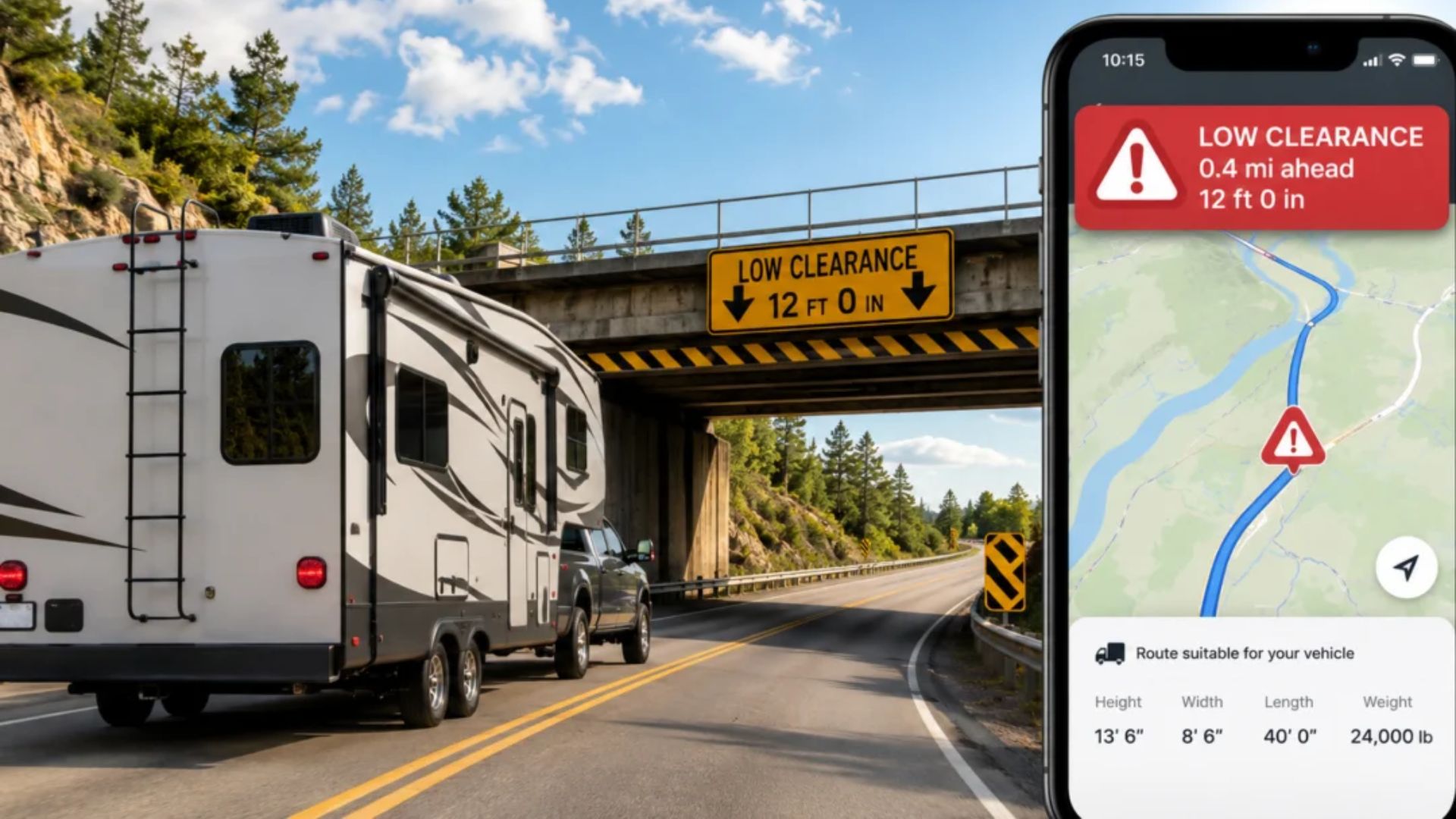
At the heart of the app is a routing system built specifically for oversized vehicles. Enter your RV's exact height, weight, length, and propane information, and the app creates routes designed to avoid low bridges, weight restrictions, unsafe roads, and tunnels that prohibit propane transport.
One feature that consistently earns praise from full-timers is offline navigation. Even when you're winding through mountain passes with no signal bars in sight, turn-by-turn guidance keeps working.
Detailed RV profiles with customizable vehicle dimensions
Routing that accounts for real-world RV restrictions
Weather overlays, wind information, and radar integration
Offline voice navigation with lane guidance
The interface can feel busy, especially if you only want navigation data
Advanced routing features require a paid subscription
Pricing: Free basic version; RV LIFE Pro costs approximately $65 per year.

When you're spending time away from established RV parks and relying on public lands or dispersed camping, iOverlander becomes incredibly valuable.
This isn't a polished travel-planning platform. It's more like a giant field notebook maintained by thousands of travelers. Need a potable water source? A dump station that's actually open? A propane refill location in a small town? Chances are someone has already documented it.
The strength of iOverlander is its practicality. Instead of highlighting sponsored destinations, it focuses on real-world resources that travelers actually need.
Extensive database of water sources, dump stations, and propane locations
Excellent coverage of remote and non-commercial resources
Offline functionality for areas with limited connectivity
Community-driven information with minimal commercial influence
The design feels dated compared with newer apps
No built-in navigation; you'll need another app to get driving directions
Pricing: Free, supported by community donations.
If your priority is dependable navigation rather than campground discovery, CoPilot deserves a serious look.
Originally developed with commercial drivers in mind, CoPilot takes a more professional approach than most RV apps. It downloads detailed mapping data directly to your device and calculates routes using factors such as vehicle weight, restrictions, and road suitability.
For owners of large Class A motorhomes, that extra layer of route planning can provide significant peace of mind.
Fully functional offline navigation after maps are downloaded
Clear lane guidance and safety alerts
Strong routing logic for large vehicles
Easy switching between RV and standard vehicle profiles
The interface feels more like fleet-management software than a consumer app
No built-in database for dump stations, water sources, or propane providers
Pricing: Around $29.99 per year for the RV navigation package.
Among experienced RVers, AllStays has built a reputation as one of the most useful infrastructure databases on the road.
Rather than focusing on travel inspiration, it focuses on the information that keeps your trip moving. Low-clearance warnings, propane refill locations, dump stations, truck stops with high-clearance access, steep grades, and service resources are all easy to locate and filter.
Many full-time RVers use it specifically because it helps answer practical questions before they become roadside problems.
Powerful filtering tools for infrastructure and utility locations
Detailed clearance and grade information
Well-maintained database with reliable updates
Strong focus on operational RV logistics
iPhone and iPad only; Android users are limited to the web version
No integrated turn-by-turn navigation
Pricing: $9.99 one-time purchase on iOS, with optional premium web access.
If safe navigation is your top priority, RV LIFE GPS is still the strongest all-around choice for large RVs. The ability to build routes around your exact vehicle dimensions can help you avoid the kinds of mistakes that turn into expensive repairs—or much worse.
That said, no single app covers every aspect of full-time RV life.
The setup many experienced RVers rely on is RV LIFE GPS paired with iOverlander 2. RV LIFE handles the road ahead, helping you avoid clearance issues and restricted routes. iOverlander fills in the gaps by locating water sources, dump stations, propane refills, and other essential resources when you're far from traditional RV parks.
Together, they create a practical system that covers both sides of the equation: getting there safely and staying supplied once you arrive.