The modern workspace and academic world run entirely on written communication. Whether it is an executive summary, an email to a major client, or a university research paper, the words you select dictate how your intelligence is perceived. Yet, relying on default smartphone autocorrect systems or generic thesauruses rarely helps someone articulate complex thoughts or build lasting linguistic depth. The challenge isn't a lack of desire to write better; it is that most language learning platforms treat vocabulary like an elementary flashcard exercise rather than an active, practical skill.
To discover which mobile applications genuinely upgrade your prose, we subjected the leading vocabulary and writing platforms on the US Apple App Store and Google Play Store to three weeks of continuous field-testing. Our team analyzed them based on three strict metrics: the cognitive retention rate of new terminology, the accuracy of real-time stylistic critiques, and the layout efficiency of their mobile-first keyboard interfaces.
Here is the unfiltered breakdown of how the three top platforms performed under everyday testing conditions.
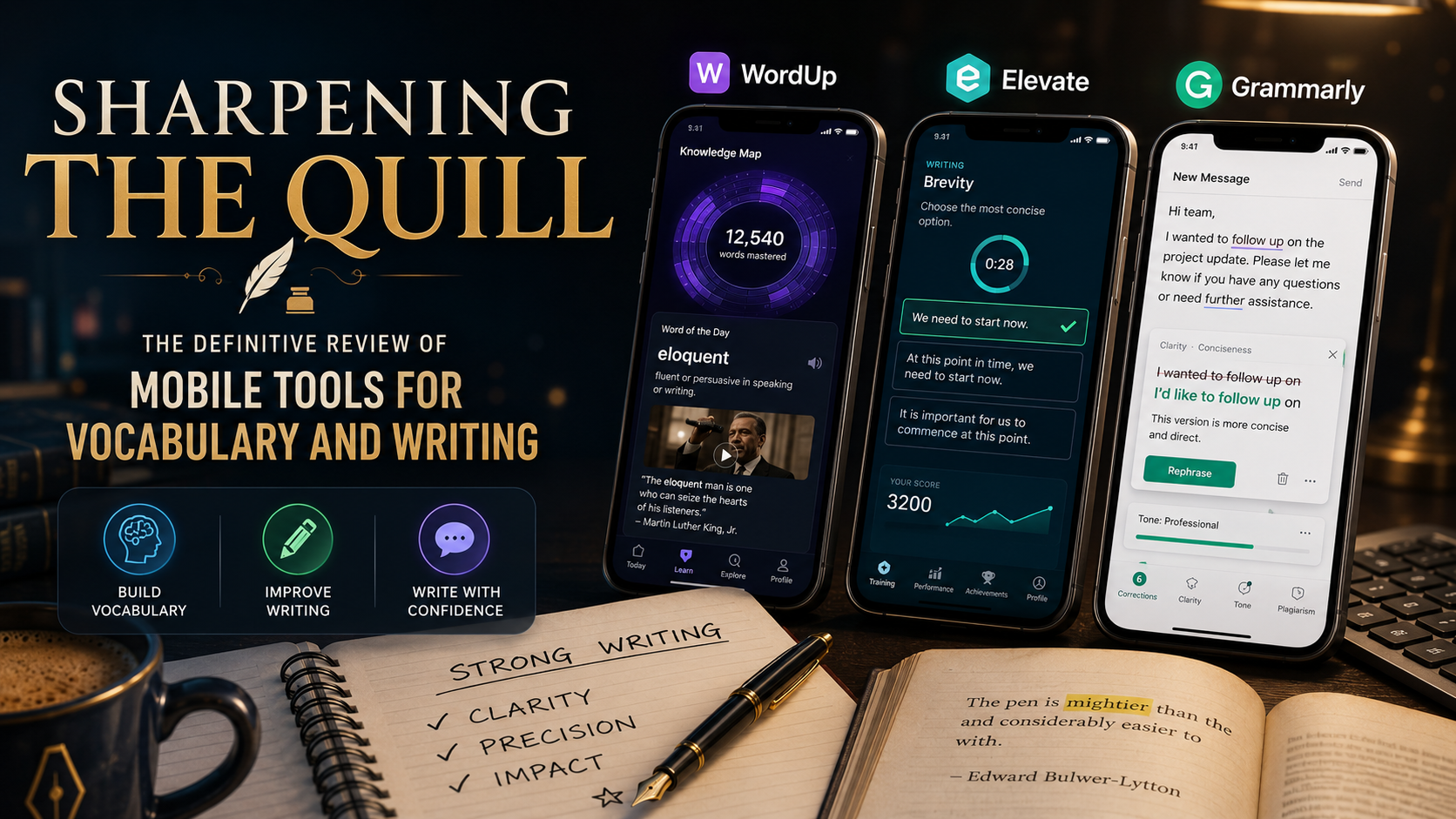
WordUp approaches language growth through the lens of data analytics, mapping out over 25,000 English words in order of real-world utility and tailoring a "Knowledge Map" unique to each user.
When we integrated WordUp into our daily routine, its hyper-personalized vetting process immediately set it apart from basic dictionary apps. Instead of forcing you to memorize arbitrary words like obfuscate or synecdoche out of context, the app systematically evaluates your current fluency level through short baseline tests.
The standout feature that works beautifully is the multi-sensory context wrapper. For every new word learned, WordUp doesn't just show a flat text definition; it pulls relevant quotes from famous books, news articles, movie clips, and audio snippets. Seeing a word used dynamically by public figures or in film scenes forms immediate mental anchors. Combined with a robust spaced-repetition tracking system, it successfully ensures that words transition from short-term memory into active daily speech. However, the app focuses almost exclusively on isolated word acquisition, meaning it won't help you structure a cohesive paragraph or correct dangling modifiers.
Pro: The Knowledge Map effectively avoids wasting time on words you already know well.
Pro: Uses real pop-culture and news clips to demonstrate context, making definitions memorable.
Pro: Spaced-repetition reviews are perfectly timed based on individual memory degradation algorithms.
Con: The application does not offer any structural or grammatical writing lessons.
Con: The interface can feel heavily cluttered with video cards and multimedia components.
Free Tier: Ad-supported basic access with daily word limits.
WordUp Pro: Available for roughly $4.99 per month or $49.00 annually to unlock unlimited words, complete translation features, and advanced tracking.
Elevate is a highly decorated cognitive training platform featuring more than 40 mini-games designed to improve communication skills, including vocabulary, focus, processing speed, and concise writing.
Testing Elevate provided an entirely different learning dynamic centered around rapid, high-pressure engagement. Rather than acting as a static reference tool, Elevate functions like an athletic workout for your linguistic skills.
The writing games are where this platform truly shines for aspiring authors and professional communicators. For example, games like "Brevity" force you to scan a sentence and violently excise redundant phrases (such as changing "at this point in time" to "now") against a ticking countdown clock. Other modules like "Error" train your eye to instantly catch misplaced punctuation and subtle grammatical errors. Our real-world testing confirmed that these games drastically improve editing speed; after a week of play, you naturally begin spotting and deleting filler phrases from your actual workspace communications.
Pro: Exceptional at teaching conciseness, clarity, and the active elimination of corporate jargon.
Pro: High-fidelity graphics and gamified structures make daily writing workouts addictive.
Pro: Detailed analytical tracking scores your language skills against other age and professional demographics.
Con: The app assumes you already understand basic grammar rules; it drills speed rather than foundational syntax.
Con: The free version is highly restricted, offering only three rotating games per day.
Free Tier: Basic access to three standard daily games with basic tracking.
Elevate Premium: Offers a 7-day free trial, moving to approximately $5.00 per month or $45.00 annually to unlock all 40+ games and advanced analytics.
Grammarly is the undisputed industry standard for digital editing. Its mobile application functions as a system-wide custom keyboard and AI-powered note editor that audits your writing in real-time across every app on your phone.
When we loaded the Grammarly keyboard onto our devices, we wanted to see if its mobile implementation could match the power of its famous desktop extension. The reality is that it completely changes how you compose text on a phone.
As you type an email in Outlook or a message on Slack, the keyboard actively monitors your input in the background. It goes far beyond standard spelling fixes; the core feature that works flawlessly is its tone and stylistic adjustment engine. If your phrasing sounds accidentally abrasive or overly passive, a small indicator suggests alternative wording to elevate the professionalism of your sentence structure. The newly integrated mobile AI assistant allows you to highlight a chunk of text and prompt it to rewrite the entire paragraph to be more persuasive or concise instantly. The downside is that the keyboard introduces slight input latency on older mobile processors.
Pro: System-wide integration means you receive elite writing critiques inside every app natively.
Pro: Brilliant tone-detection metrics ensure your written messages match your intended professional demeanor.
Pro: Advanced cloud syncing seamlessly connects your mobile edits with your desktop documents.
Con: The heavy processing requirements can occasionally cause keyboard lag or typing stuttering.
Con: The Pro subscription tiers are heavily expensive for casual or non-professional writers.
Free Tier: Includes basic spelling, grammar, and punctuation checks alongside 100 basic AI prompts per month.
Grammarly Pro: Billed at $30.00 monthly or a flat $144.00 per year ($12.00/month equivalent), unlocking advanced style rewrites, plagiarism checks, and 2,000 AI prompts.

After weeks of editing sentences, analyzing data maps, and drilling vocabulary games, we determined that the optimal tool depends entirely on your current communication bottleneck.
If your primary weakness is choosing the right words and you struggle to expand your lexical boundaries, WordUp provides the most scientifically sound framework for permanent vocabulary growth. If you already have the words but struggle to write cleanly, quickly, and concisely under pressure, Elevate serves as the perfect mental boot camp.
However, for individuals who need immediate, real-world utility to survive in professional environments, Grammarly remains the absolute best choice. The sheer capability of having an elite editor watching over your sentence structures inside every mobile app makes it a non-negotiable tool for anyone serious about writing with authority.
