Preparing for the US Citizenship naturalization interview has never been more complicated than it is right now. If an applicant is currently going through the naturalization process, inheriting a friend's old civics study guide or a battered set of paper flashcards is a recipe for failure. The United States Citizenship and Immigration Services (USCIS) has fundamentally altered the testing landscape.
Depending on when an individual filed their Form N-400, they are now funneled into two entirely different testing tracks. Those who filed before October 20, 2025, take the legacy "2008 version" (a 100-question bank where the officer asks up to 10 questions, requiring 6 correct answers to pass). However, those filing on or after October 20, 2025, face the new "2025 version." This updated test expands the bank to 128 questions, requires the officer to ask 20 questions, and mandates 12 correct answers to pass. Furthermore, the civics exam is an oral test, not a multiple-choice Scantron sheet. Knowing the answer is useless if the applicant freezes up when a federal officer asks them a question in real life.
The pain point is severe: applicants need tools that adapt to constantly changing local political answers (like the current Governor or local Representative), prep them for the pressure of speaking aloud, and flawlessly navigate the split 2008/2025 test requirements.
When we tested the current crop of study apps on the road—literally plugging them into our car dashboards during morning commutes and running mock interviews in our living rooms—we ruthlessly eliminated anything that functioned as a basic PDF reader. We demanded active, speech-based feedback and up-to-date political tracking. Here are the three apps that genuinely deliver.
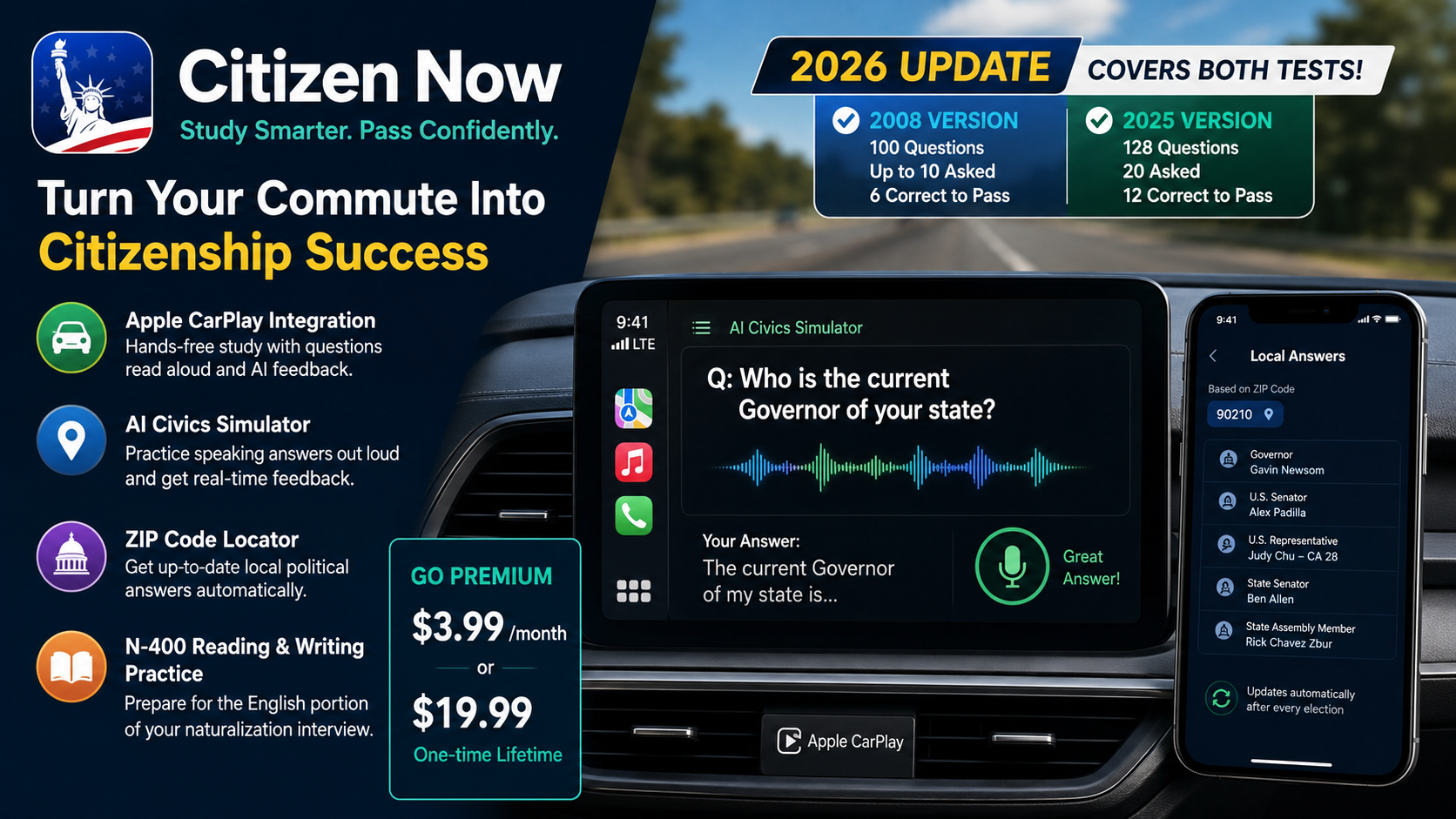
Pricing Model: Free basic access; Premium subscription costs $3.99/month or a $19.99 one-time lifetime payment.
Citizen Now has been a staple in the app stores for years, but its recent 2026 updates have transformed it from a standard flashcard app into an aggressive, multimedia study engine. It is specifically designed for people who cannot dedicate hours to sitting at a desk and staring at a textbook.
The core feature that actually works is the app’s phenomenal Apple CarPlay Integration paired with the AI Civics Simulator. When we tested this on the road, the experience was seamless. We connected an iPhone to the dashboard, and the app read the official USCIS questions aloud through the car's speakers. Rather than just passively listening, the AI simulator allows users to practice speaking their answers out loud, offering real-time feedback on spoken accuracy. It forces the brain to practice the actual physical act of speaking the answer, which perfectly simulates the oral requirement of the real interview.
Additionally, the app features an automatic ZIP code locator. Instead of forcing users to independently Google "Who is the current Governor of my state?" or "Who is my US Representative?", the app localizes the answers automatically and updates them whenever a political election changes the roster.
Pros:
Flawless Apple CarPlay integration turns mundane daily driving commutes into highly effective, hands-free study sessions.
The ZIP code locator prevents applicants from memorizing outdated or incorrect local political figures.
Includes N-400 application reading and writing practice, preparing users for the English proficiency portion of the interview, not just the civics trivia.
Cons:
The free tier is heavily restricted; the $19.99 lifetime upgrade is practically mandatory to access the most valuable AI feedback features.
The interface can feel slightly overwhelming at first due to the sheer volume of interview tracking tools and translation toggles.
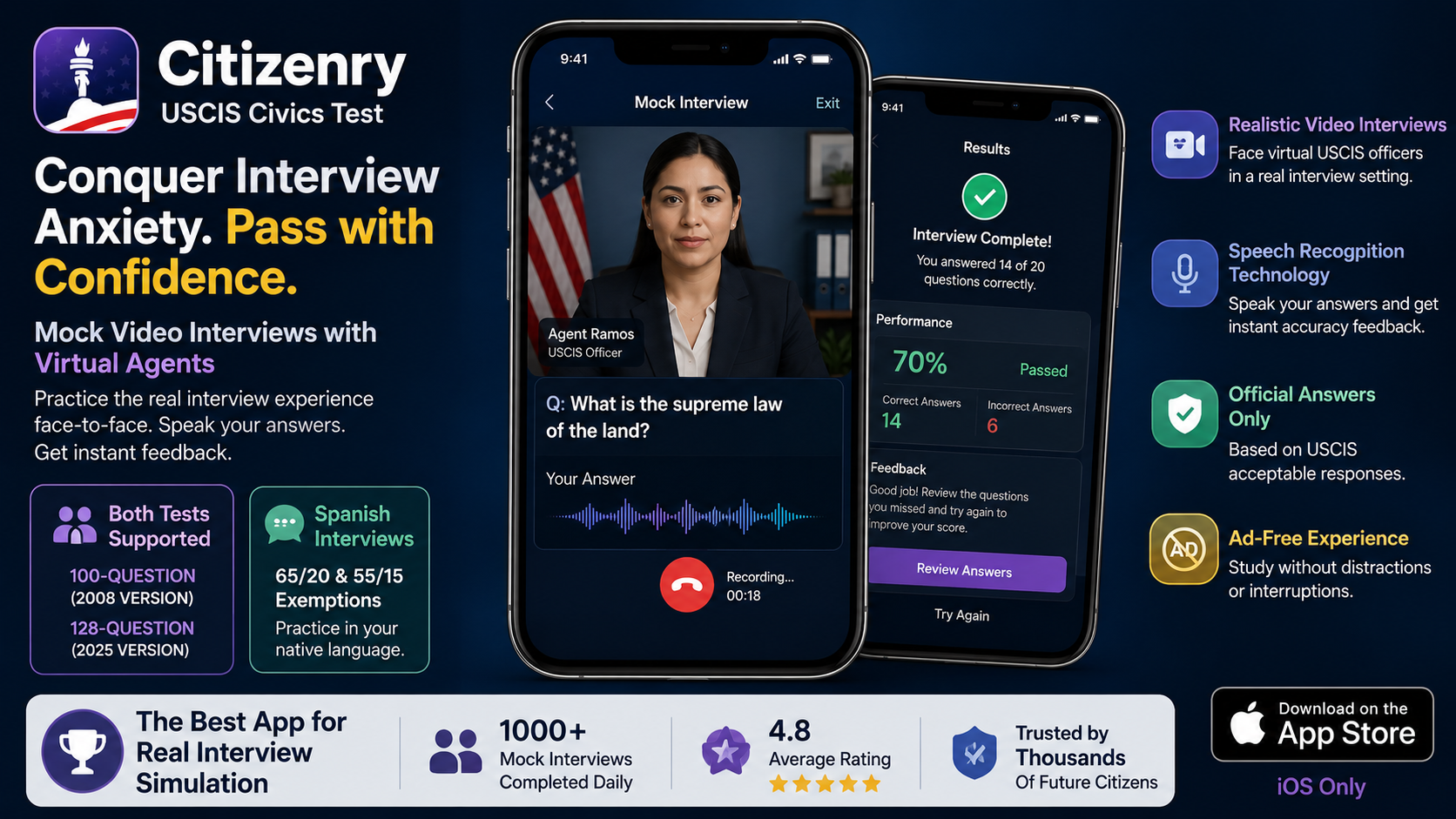
Availability: iOS only
Pricing Model: Free download; unlimited Mock Video Interviews require a Pro subscription (pricing varies by tier).
If Citizen Now is built for studying on the commute, Citizenry is built for conquering interview anxiety. The developers have leaned heavily into simulating the exact psychological pressure of sitting across the desk from a USCIS officer.
The feature that makes Citizenry indispensable is its Mock Video Interviews. When we sat down to test this feature, we were introduced to virtual agents (such as Agent Ramos and Agent Ruiz). The app uses the front-facing camera and speech recognition to run a completely simulated, uninterrupted naturalization interview.
The virtual agent asks the questions, and the user must speak the answer back. It doesn't allow for multiple-choice guessing. If you stammer or get it wrong, the app instantly registers it and provides feedback based on the officially recognized acceptable responses from USCIS materials. Crucially, Citizenry fully supports both the legacy 100-question test and the new 128-question test. It even features dedicated Spanish-language mock interviews tailored for older applicants who qualify for the 65/20 or 55/15 native-language exemptions.
Pros:
The absolute best app on the market for simulating the psychological pressure and flow of the actual oral interview.
Excellent support for Spanish speakers who qualify for age/residency language exemptions, allowing them to practice in their native language.
A completely ad-free experience, ensuring that study sessions are never interrupted by pop-ups.
Cons:
Currently limited to the Apple ecosystem (iOS); Android users are entirely left out.
The flagship video mock interviews are locked behind the Pro subscription paywall.
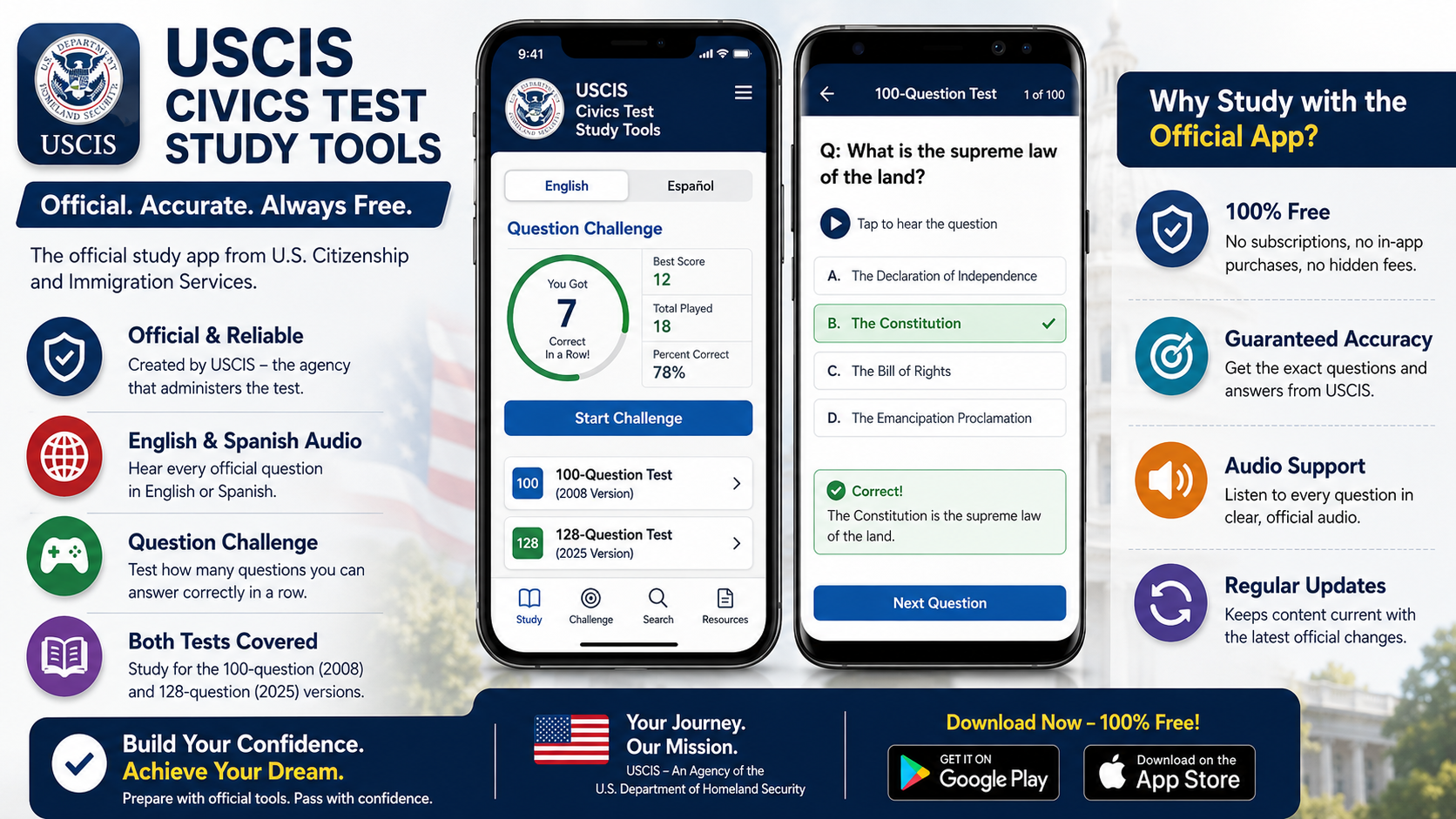
Pricing Model: 100% Free
In an app store flooded with third-party developers, it is important to acknowledge the official application created directly by the Department of Homeland Security (DHS) and USCIS. It lacks the flashy AI features of its competitors, but it provides the ultimate baseline for factual accuracy.
The core feature here is Unimpeachable Authority. When studying for a federal exam that dictates legal citizenship status, anxiety about learning the "wrong" answer from a buggy third-party app is real. When we tested the official USCIS app, we found a remarkably straightforward tool. It features a simple Question Challenge game that tests how many questions a user can answer correctly in a row, and it offers clean, official English and Spanish audio for the questions. It exists strictly to present the exact wording the government expects to hear.
Pros:
Completely free with zero in-app purchases, subscriptions, or intrusive advertisements.
Guaranteed factual accuracy directly from the government agency administering the exam.
Easily toggles the entire application between English and Spanish with a single tap.
Cons:
Incredibly bare-bones functionality; it lacks speech recognition to grade oral answers.
Historically slow to update its user interface, resulting in a slightly dated, clunky user experience compared to premium modern apps.
Navigating the US Citizenship test in 2026 requires an app that can handle the new 128-question format, adapt to local political realities, and prepare applicants for the anxiety of an oral exam.
If an applicant has an iPhone, Citizenry: USCIS Civics Test is the absolute best app for this specific scenario. The naturalization interview is a nerve-wracking experience, and reading text on a screen simply does not prepare an individual for speaking to a federal officer. Citizenry's Mock Video Interviews with virtual agents provide unparalleled simulation training, ensuring that when the applicant finally sits down for the real test, they have already successfully answered the questions aloud under simulated pressure dozens of times.
However, for Android users or those who spend hours a day commuting, Citizen Now is a remarkably close runner-up, leveraging Apple CarPlay and aggressive audio simulation to turn a daily drive into a highly effective mobile classroom.