Frequent business travel is less about novelty and more about keeping moving parts under control. Flights change, hotel confirmations pile up, receipts disappear, and long layovers can easily turn into lost work time. When those small disruptions stack up across multiple trips, travel starts to feel less like transit and more like project management.
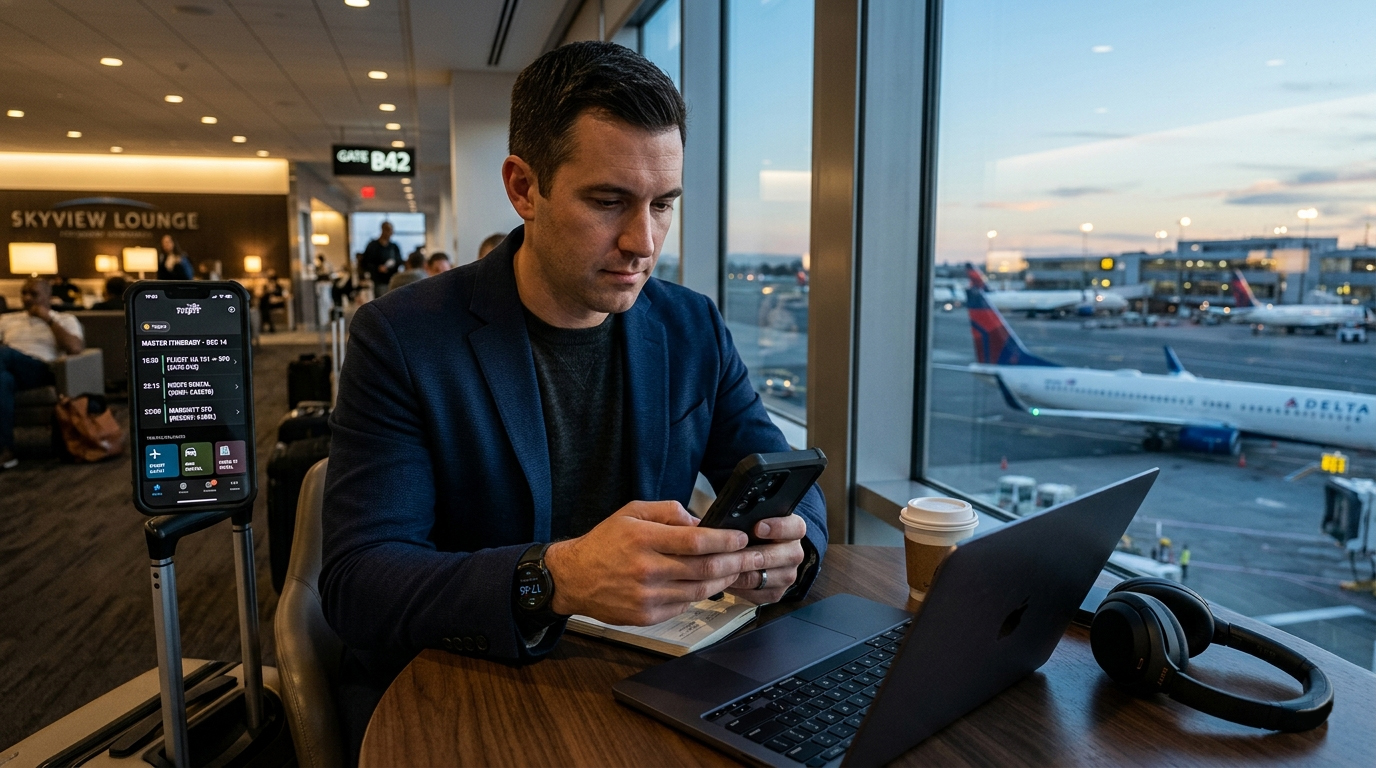
That is why the best business travel apps are not necessarily the most visually impressive ones. What matters more is whether they reduce friction: consolidating itineraries, surfacing delays early, simplifying expense reporting, or helping travelers find a quiet place to work between meetings. Reliability, speed, and automation matter far more than aspirational travel features built for leisure users.
To identify the most useful options in 2026, the focus here is on apps that solve recurring problems for frequent business travelers rather than trying to cover every part of the travel experience. The four apps below stand out for making business trips easier to manage before, during, and after takeoff.
OS Availability: iOS & Android
Pricing Model: Freemium (free version available; TripIt Pro subscription offered)
TripIt remains one of the most practical tools for travelers who need to keep multiple reservations in one place. Flights, hotel bookings, rail tickets, rental cars, and meeting-related travel confirmations often arrive as separate emails, which makes it surprisingly easy to lose track of important details. TripIt’s value lies in turning those scattered confirmations into a single itinerary that is easier to follow on the road.
Its biggest strength is automation. Instead of entering every booking manually, travelers can forward confirmation emails to TripIt or connect an inbox so the app can build the itinerary automatically. Once the trip is assembled, flight times, hotel addresses, car rental pickups, and reservation numbers appear in one chronological view that can be checked quickly while moving through airports or switching between meetings.
The paid Pro version adds another layer of usefulness with real-time alerts for delays, cancellations, and gate changes. For travelers who fly frequently enough to deal with constant schedule shifts, that upgrade can be worth considering.
Automatically organizes flights, hotels, and transportation into one itinerary
Easy to use across multi-city trips and complex travel schedules
TripIt Pro adds helpful real-time flight alerts and disruption monitoring
The free version is useful, but many of the strongest travel-day features are locked behind Pro
Email parsing is generally good, though occasional booking-related clutter can still appear
OS Availability: Android
Pricing Model: Freemium
Airline apps are useful for boarding passes and official notifications, but they are not always the best tools for understanding what is actually happening when a flight is delayed. Flightradar24 is valuable because it gives travelers a clearer view of aircraft movement in real time, which can sometimes reveal problems before the airline communicates them clearly.
Its most practical use for business travelers is not the map itself, but the context behind a flight. By checking where an incoming aircraft is and whether it is already delayed on a previous route, travelers can often spot knock-on disruptions earlier than they would through a standard airline update. That extra visibility can be useful when deciding whether to rebook, alert a client, or adjust plans for a missed connection.
The app does have a learning curve, especially for users who are not used to reading flight-tracking data. Still, for travelers who spend a lot of time in airports, it can be one of the most useful tools for staying ahead of schedule changes.
Helps travelers monitor inbound aircraft and potential delay patterns
Useful for understanding disruptions beyond basic airline notifications
Good option for travelers who want more detail than a standard airline app provides
Interface can feel technical for first-time users
Some of its value depends on the user being willing to interpret flight data rather than just receive alerts
OS Availability: Android
Pricing Model: Freemium
Business travel does not end when the plane lands. For many travelers, one of the most frustrating parts of a trip begins afterward, when it is time to organize receipts, match charges, and submit expense reports. Expensify is built to reduce that burden by turning receipts and reimbursements into a much faster mobile workflow.
The app’s core feature is receipt scanning. Instead of saving paper receipts until the end of a trip, travelers can photograph them as they go, allowing the app to pull in details such as merchant name, date, and amount. That simple habit can save a surprising amount of time, especially on longer trips that involve taxis, meals, hotel incidentals, and multiple currencies.
Expensify is particularly useful for travelers whose employers already use it as part of their expense approval process, but it can also help individuals keep spending organized even outside a formal corporate workflow. It is not the most elegant app in this category, but it solves a recurring business-travel problem effectively.
Makes it easier to capture and organize receipts while traveling
Reduces manual data entry for expense reporting
Helpful for trips involving frequent small purchases and reimbursements
Bulk uploading and editing can feel slow at times
Free scan limits may not be enough for heavy travel schedules
OS Availability: iOS
Pricing Model: Free to browse; lounge access costs vary by location and eligibility
Not every travel app needs to focus on logistics alone. For frequent business travelers, finding a reliable place to work, recharge devices, eat, or take a call during a delay can have a direct impact on productivity. That is where LoungeKey has traditionally been useful.
The app helps travelers figure out which airport lounges they can access based on airline status, eligible credit cards, memberships, or paid entry options. Instead of walking through a terminal guessing which lounges are available, travelers can quickly see what access they already have and what amenities are offered at each location.
Its value is especially clear during long layovers, delays, or international connections, when a lounge can function as a temporary office rather than simply a comfort perk. LoungeKey is not essential in the same way as itinerary or expense tools, but for travelers who spend significant time in airports, it can still be a helpful part of the travel stack.
Helps travelers identify lounge access based on cards, status, and memberships
Useful for finding quieter spaces to work during delays and layovers
Provides practical lounge details such as amenities and operating information
Availability and access details can vary by airport and lounge partner
iOS-focused access may be limiting for Android users
Among these four apps, TripIt remains the most useful all-around choice for frequent business travelers.
The reason is simple: most travel problems become harder to manage when the itinerary itself is fragmented. A missed confirmation number, a buried hotel address, or a late gate change can create a chain reaction that affects the rest of the trip. TripIt reduces that risk by keeping the core travel schedule in one place and making it easier to track flights, lodging, and transportation without digging through an inbox.
For travelers who are constantly moving between cities, that kind of organization has more day-to-day value than any single niche feature. It may not be the most specialized app on this list, but it is the one most likely to improve every trip.
Each of these apps solves a different problem, and they work best when used as a simple workflow rather than as isolated tools.
Forward flight, hotel, and transportation confirmations into TripIt so the trip schedule is stored in one place instead of scattered across email threads.
If an inbound aircraft looks late or a connection seems at risk, Flightradar24 can provide extra context before the airline app catches up.
Using Expensify at the time of purchase is much easier than trying to reconstruct expenses at the end of a week-long trip.
When airport downtime is unavoidable, LoungeBuddy can help travelers find a quieter place to work, recharge, or take calls.
For frequent business travelers, the goal is not to add more apps for the sake of it. It is to reduce avoidable friction. The right combination of tools can make delays easier to manage, expense reporting less tedious, and travel days a little more predictable.
