There is a particular kind of frustration that comes with opening an electric bill that is higher than expected. You can think back over the month, but it is surprisingly difficult to remember which appliances ran longer, whether the air conditioner was working overtime, or how much electricity all those small devices quietly consumed in the background. By the time the bill arrives, the money has already been spent.
Energy apps try to move that information forward. Instead of waiting for a monthly statement, you can use them to see how much electricity your home is using, identify major sources of consumption, respond to utility demand events, or, in some markets, compare electricity rates. The approaches are quite different, though. Some require hardware connected to your electrical panel, while others work through your utility account and ask you to change when or how you use electricity.
Here are four options that take very different routes to the same basic goal: helping you understand or reduce the cost of keeping your home powered.
Sense Home is built around a physical energy monitor installed at the home's electrical panel. Once the monitor is collecting data, its companion app turns that information into charts, appliance estimates, and real-time views of household electricity use.
The interesting part is the way Sense tries to recognize individual appliances without requiring a separate plug-in monitor for every device. Its machine-learning system analyzes electrical patterns and attempts to distinguish the signatures produced by equipment such as refrigerators, dryers, HVAC systems, and other appliances.
That can make the information much more useful than simply knowing that the house consumed 18 kilowatt-hours yesterday. You may be able to see that a particular appliance is using more electricity than expected, notice equipment running when it should be off, or spot patterns that would otherwise disappear inside a monthly utility total. The system needs time to learn the electrical behavior of the home, so the initial results may become more useful as it collects additional data.
Pricing: The mobile app is free, but using Sense's monitoring features requires separately purchased hardware.
The biggest advantage is the amount of information you can get without installing an individual energy monitor on every appliance. Real-time usage information, alerts, and historical charts can make it easier to connect everyday activity with changes in electricity consumption.
The hardware installation is more involved than downloading an ordinary budgeting or utility app. Because the monitor connects to the home's electrical panel, installation should be approached carefully, with professional help recommended for anyone who is not experienced with electrical work. There is also a learning period before the system can reliably identify the appliances in your home.

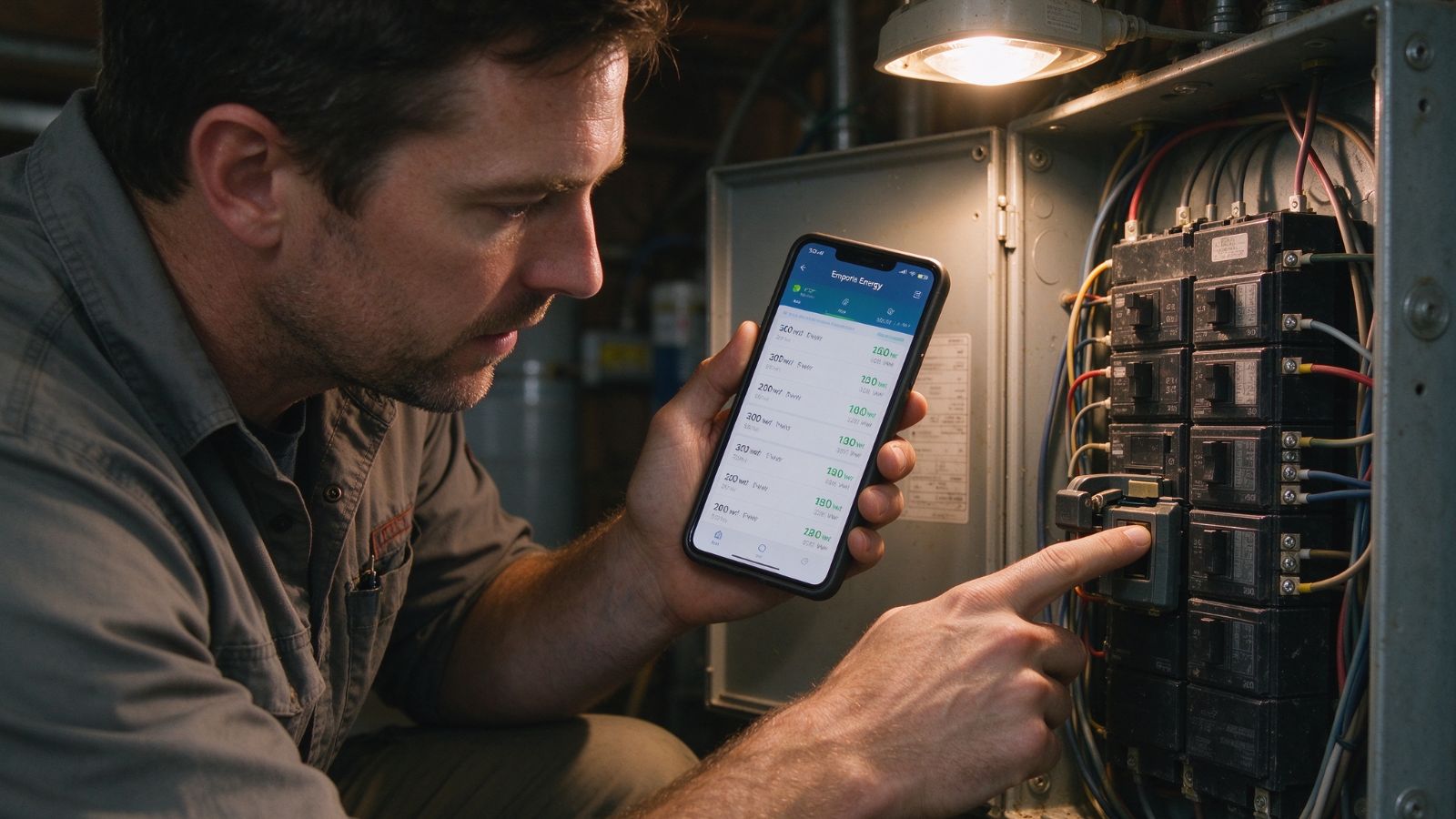
Emporia takes a more direct measurement approach. Its app works with Emporia's Vue hardware, which can monitor electricity at the circuit level using current transformers installed in the electrical panel.
Instead of trying to infer what an appliance is doing from its electrical signature, Emporia can measure individual circuits directly. That distinction matters. If your air conditioner, oven, and another major load are connected to separate circuits, you can monitor those circuits independently and see how much electricity each one is consuming.
The app provides frequent updates, allowing homeowners to watch energy use as it happens rather than waiting for a utility statement. That can be particularly useful for large electrical loads. If something suddenly begins consuming far more electricity than expected, the data gives you a starting point for figuring out where to look.
Pricing: The app itself is free, with Emporia monitoring hardware sold separately. There is no ongoing monthly subscription fee for the standard monitoring service.
Circuit-level measurement provides a more direct picture of where electricity is going. The hardware can also be relatively cost-effective compared with installing individual monitoring devices on a large number of appliances, and there is no recurring subscription fee for the basic monitoring service.
Installation requires access to the electrical panel, so professional installation is a sensible choice unless you have the appropriate experience. Circuit-level monitoring also has a natural limitation: if several appliances share the same circuit, the system cannot automatically tell you how much electricity each individual device used.
GridRewards approaches the problem from a completely different angle. Instead of trying to identify every appliance in your house, it works with participating utility programs and encourages customers to reduce electricity use during periods when demand on the local grid is particularly high.
Think about a hot summer afternoon when thousands of households turn up their air conditioners at roughly the same time. Utilities may run demand-response programs during those high-demand periods and ask participating customers to temporarily reduce their electricity consumption.
GridRewards can notify participating users when these events occur. You might delay running the dishwasher, wait until later to do laundry, or make another small adjustment to your electricity use. Depending on the utility program and its terms, participating customers can receive financial rewards for reducing consumption during qualifying events.
There is an important catch: this approach is tied to utility participation. It is not simply an app that can create a discount on any electric bill.
Pricing: Free for customers whose utility participates in the relevant programs.
There is no hardware to install, and the potential benefit is more tangible than simply watching a graph of energy consumption. Instead, the app can turn participation in demand-response events into financial rewards.
It can also give users a better sense of when their local grid experiences periods of unusually high demand, which may help explain why certain times of day matter more for electricity consumption.
Availability depends on where you live and which utility programs are offered in your area. The financial benefit also depends on participation. If you do not want to change your routine when a peak event occurs, there may be little reason to use this type of program.

Arbor tackles electricity costs before the electricity even reaches your appliances. Rather than focusing on how much power your refrigerator or air conditioner consumes, the service looks at whether you may be paying more than necessary for the electricity itself.
In parts of the United States where consumers can choose their electricity supplier, different plans can carry very different rates and terms. Arbor is designed to compare available options in eligible markets and help customers switch when it identifies a potentially cheaper rate.
That makes it fundamentally different from Sense or Emporia. You could install an energy monitor and become extremely efficient at using electricity, but if you are paying a relatively high rate for every kilowatt-hour, the underlying price still matters. Arbor focuses on that part of the bill instead.
The service can connect to a customer's existing utility information and handle much of the comparison and switching process electronically, reducing the amount of research and paperwork the customer has to do.
Pricing: The service is free for consumers and is compensated by participating energy providers when qualifying switches are made.
For eligible customers, the appeal is obvious: there is no need to change how you use your appliances or install equipment in your electrical panel. If a less expensive electricity plan is available, changing the rate can potentially reduce the bill without changing your household routine.
It also removes some of the tedious work involved in comparing electricity suppliers and completing a switch.
This option is not available everywhere. It depends on living in a deregulated electricity market where consumers can choose among competing suppliers. Arbor is also currently limited to iOS users.
These apps solve different problems, so comparing them solely on the question of which one “saves the most” misses an important distinction.
If you want to understand where electricity is going inside your house, a hardware-based system such as Sense or Emporia can provide information that a normal utility bill simply cannot. Sense focuses more heavily on identifying individual appliance patterns, while Emporia takes a more direct circuit-level measurement approach.
If your utility offers demand-response incentives, GridRewards takes a different route. Instead of buying monitoring hardware or changing electricity suppliers, you reduce consumption at selected times and may receive rewards for participating.
And if your biggest concern is the price you pay per kilowatt-hour, Arbor addresses the supply side rather than household consumption. That can be particularly relevant in deregulated markets where switching suppliers is an option.
There is also nothing wrong with using a basic utility app—or simply paying closer attention to your monthly usage—if you do not need this level of detail. An expensive monitoring setup will not automatically lower a bill. The useful part comes from what you do with the information: adjusting a schedule, investigating an inefficient appliance, responding to a demand event, or finding a more suitable electricity rate.
The right starting point is therefore fairly simple. Figure out whether your problem is using too much electricity, paying too much for each unit of electricity, or missing opportunities to earn utility incentives. Once you know which of those is driving the cost, choosing an app becomes much easier.
