College life leaves very little room for clunky workflows. Between three-hour lectures where professors speak at lightning speed and complex research projects packed with 40-page PDFs, standard physical notebooks simply don't make the cut anymore.
When we tested the latest productivity software on the ground this semester, we looked for more than just a clean interface. We evaluated how these apps handle heavy multimedia payloads, cross-platform syncing, audio integration, and long-term searchability under intense academic pressure. To save you from trial-and-error fatigue mid-semester, we put the market's leading contenders through real-world testing. Here is our breakdown of the absolute best apps for digital note-taking and academic organization available on the iOS and Android ecosystems today.

The classic "ring-binder" metaphor lives on in Microsoft OneNote, and it remains arguably the most functional, feature-complete free tool for academic organization. If your coursework spans multiple diverse formats—ranging from typed essays and chemistry diagrams to audio recordings of lectures—OneNote acts as a centralized digital binder.
What actually works flawlessly in OneNote is its structural hierarchy coupled with the infinite canvas. You can build separate notebooks for each semester, distinct color-coded sections for individual classes, and an unlimited stream of pages within those sections. When we tested this in a lecture hall setting, the ability to click literally anywhere on a page to type notes, drop an audio recording widget, or sketch out a quick diagram on a tablet with a stylus provided unparalleled freedom.
Pro: Genuinely free core tier with up to 5GB of cloud storage, presenting a massive financial relief for students.
Pro: Stellar optical character recognition (OCR) that allows you to search for text inside uploaded slide decks, images, and even legible handwriting.
Pro: Robust web clipper extension that easily saves entire research articles directly into designated notebooks.
Cons: The interface can feel incredibly cluttered and heavy if you prefer clean, minimal markdown environments.
Cons: Document syncing can occasionally experience brief lags or conflicts if notebooks contain massive, uncompressed media files.
Notion isn't just a space to jot down sentences; it is a full-blown personal database engine disguised as a sleek workspace. For students who care just as much about tracking syllabus deadlines, calculating potential grades, and building a interconnected wiki of their major as they do about capturing words, Notion is an unmatched powerhouse.
The true star of Notion is its relational database functionality. When we simulated managing a heavy five-course workload, we built a master assignment tracker where every single reading, task, and project was a separate database item tagged by course, due date, and status. Because Notion allows you to open any individual database entry as a blank canvas page, your lecture notes live directly inside your schedule. It elegantly bridges the gap between active writing and administrative organization.
Pro: The "Student Pro" upgrade is completely free for anyone signing up with a valid .edu institutional email address.
Pro: Unrivaled flexibility—you can build custom dashboards, insert code blocks, nest pages infinitely, and coordinate group projects with real-time collaboration.
Pro: Highly polished native applications that sync instantly across desktop and mobile form factors.
Cons: High learning curve; setting up an optimal system from scratch can easily lead to "productivity procrastination."
Cons: Lacks a native free-form stylus handwriting engine, making it a poor choice for raw sketching or solving complex mathematical equations by hand.
For students who think with a pen rather than a keyboard, GoodNotes remains the premier digital paper simulator on the market. If you are studying subjects heavily reliant on spatial layouts, visual symbols, or handwritten workflows—such as organic chemistry, advanced mathematics, or medical anatomy—this app transforms a tablet and stylus into an endless stack of premium notebooks.
The standout feature of GoodNotes is its ink engine latency paired with powerful PDF annotation. When we tested the app by importing a massive 150-page biology slide deck, writing directly on top of the slides felt incredibly natural. The app's lasso tool allows you to instantly select handwritten formulas, resize them, change their colors, or convert them into clean digital text on the fly. Furthermore, its global handwriting search is terrifyingly accurate, managing to index even rushed, messy cursive written during a fast-paced lecture.
Pro: The "Essential" tier sits at a reasonable $11.99/year for students, covering comprehensive daily workflows without breaking the bank.
Pro: Excellent organization structure utilizing traditional digital folders and highly customizable paper templates.
Pro: Supports Apple Family Sharing, allowing a single subscription to cover multiple family members across devices.
Cons: While a Windows version and Android beta exist, the cross-platform syncing experience is significantly less polished than the native iPadOS app.
Cons: The completely free tier restricts users to only three notebooks, rendering it a trial experience rather than a long-term free solution.
Most note-taking applications act as digital filing cabinets where notes go to be forgotten until finals week. RemNote completely flips this script by integrating active recall into the core structure of your writing. It uses an outliner format specifically built for students who need to memorize vast amounts of structured data, such as law or pre-med majors.
RemNote uses an intelligent bullet-point layout where every line you type can automatically double as a flashcard. By simply typing a concept name followed by a specific syntax (like a double colon), you instantly create a flashcard. During our testing phase, we took standard lecture notes on a topic, and RemNote automatically pushed those concept cards into a built-in spaced repetition algorithm dashboard. Instead of spending hours copying your notes over to an external app like Anki, you build your study guides implicitly as you listen to your professor.
Pro: Seamlessly merges structural outline note-taking with a world-class spaced repetition flashcard system in one app.
Pro: Supports bidirectional linking, allowing you to connect overlapping concepts between different courses to view your education as an interconnected knowledge graph.
Pro: Offers a generous 25% educational discount for active students alongside functional offline storage capabilities.
Cons: The outliner-only bullet system can feel highly restrictive if you prefer writing long-form free-flowing essays.
Cons: The density of its initial features can feel incredibly overwhelming to a casual user who just wants a basic blank page.
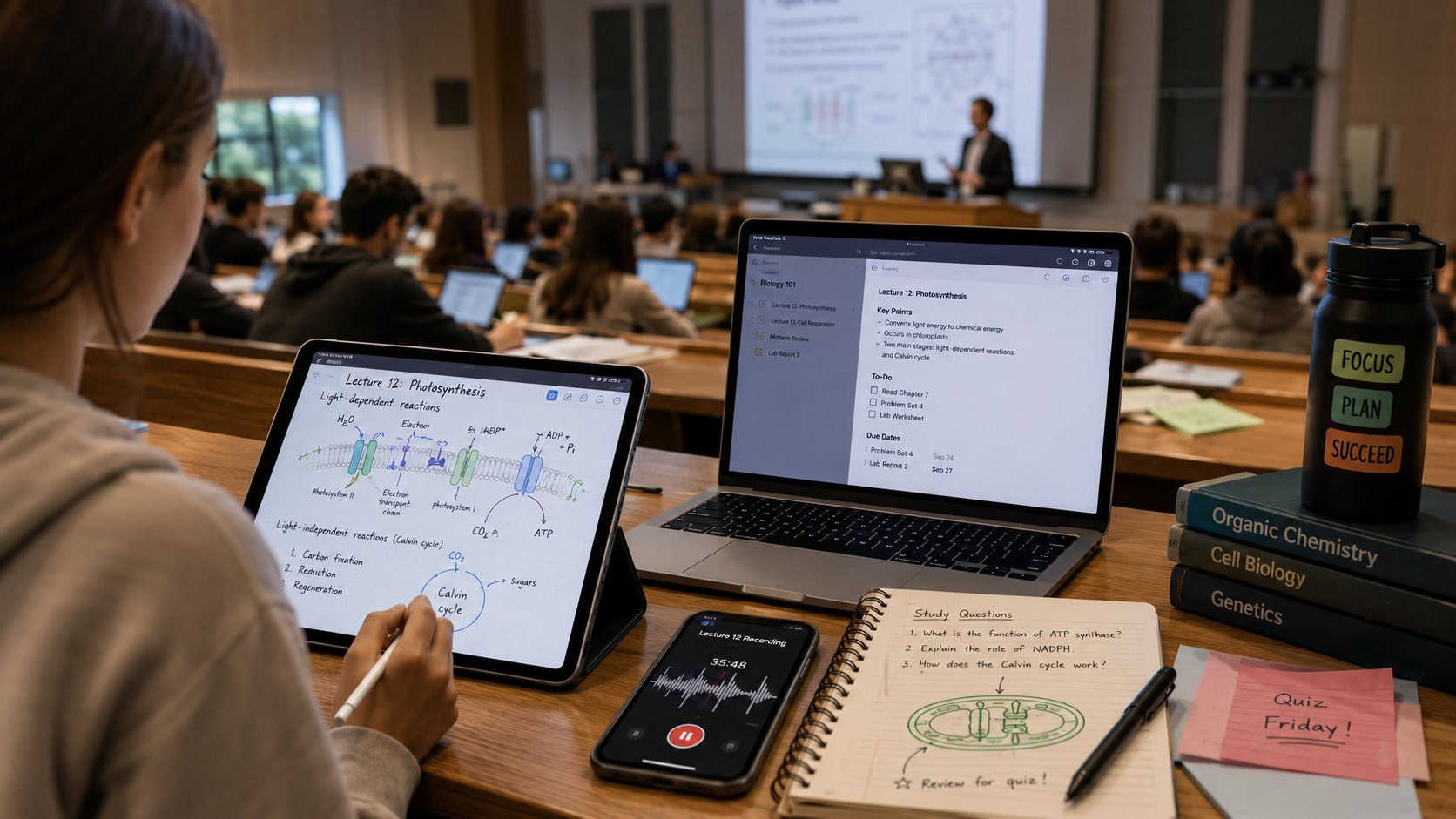
Choosing the right platform comes down to identifying your primary academic bottleneck.
If your biggest struggle is managing due dates, coordinating group tasks, and keeping all your class syllabi structured in one beautiful, cohesive dashboard, Notion is the definitive winner—especially considering the free Student Pro tier.
However, if your academic success relies entirely on survival during intensive lectures, Microsoft OneNote earns our highest overall recommendation. Its total lack of a paywall, cross-platform reliability, infinite canvas freedom, and elite audio recording capabilities make it an indispensable, pragmatic tool for the modern student.
